


King Of Fighters 2010
download here :
http://www.mediafire.com/download.php?li3r32dbd0qimot
http://www.mediafire.com/download.php?lz0n4y9y4om3mew
http://www.mediafire.com/download.php?k04wpce6fjnawaw


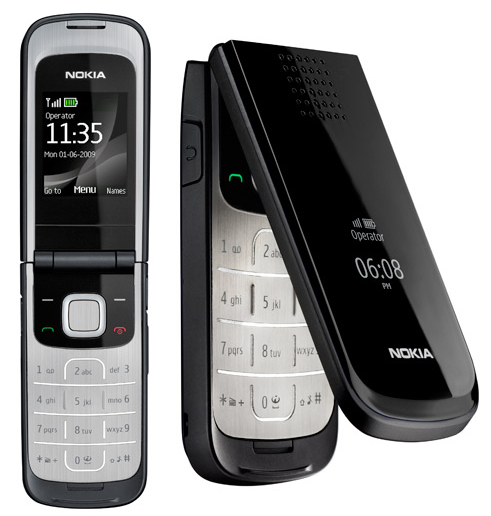
see below ... awesome ....


I have received a picture of my friend, smiling self when I read this article, Because I have lived in those times..hehe..

what about your life in this period, so please leave a comment..hehe



What will I write today is about the ways to hide yourself from the unknown to you after you take / use wireless without it, steal wireless .. .. to the graduates do not realize that if you use the wireless, they will can detect which computer is using their wireless based computer name because it will open the My Network Places on the XP OS or network if using win7. otherwise they can cause harm to you if wireless is used is unsecured, some people say "wow, free wireless, let's play" .. the possibility of a trap to you, that's why Windows will display a warning if you want to connect to wireless without security. So to hide themselves from the captivity, the steps you need to do is:
click on the start on the left window, select Run and type cmd to launch command prompt. then type the word below in the command prompt
net config server / hidden: yes
after a successful, close the command prompt and you should decide when to do this wireless connection and reconnecting to the network. safe to try!
Hayatilah…
Together for reflection.
That morning, though the sky has begun to turn yellow, desert birds refused to clap the wings. That morning, the Prophet with a limited voice giving a sermon, "my ummah, we all have the power of God and His love. And obey and fear him. I made a two on you, the Qur'an and Sunnah. Products who love the Sunnah,
I love and will mean those who love me, will go to heaven with me. "brief sermon concluded with the eyes of Allah is calm and full of interest in gazing at his friend one by one.
Abu Bakr, gazing with eyes glisten, Umar the up and down to hold her breath and crying. Usman Ali draw a long breath and head down deep. Signal has come, time has come. "He will leave us all," sigh the heart of all the old friends. Man loved it, almost finished discharging his duties in the world. The signs are getting more powerful, when Ali and Fadhal actively arrest the Prophet weak and shaky when downloaded from
pulpit. During that time, if able, the companions present there would be arrested moments passed.
Increasingly higher sun, but the door of Allah remains closed. Is in it, He is lying low with the eyebrows and wet with sweat, a palm frond mat mat. Suddenly, from outside the door heard a cry greeted. "Can I enter?" tanyanya. But Fatimah did not allow in, "forgive me, my father was cold," said Fatimah, the reverse of the body and close the door. Then it was back to accompany his father who appears to have opened the eyes and asked Fatimah, "Who then?"
"Not to know is my father, who looks like this new one I saw," Fatimah said gently. Then, He stares at the princess with a view of engaging. As if the order is to be the face of his results. "Ah, he removes the temporary enjoyment, he is a separate meeting in the world. Malaikatul He died," said the Prophet, Fatimah wept over the probe before.
The angel of death comes closer, but the Prophet asked why Jibril did not follow the same participating. Then Gabriel called was previously been prepared in the heavens God celebrate the spirit and love of this world leader.
"Gabriel, I will explain what the right before God?" Ask
Prophet with a very weak voice. "The Gates heavens opened, the angels were waiting ruhmu. All of heaven wide open while waiting for you," said Gabriel. But that turned out not to make Allah's relief, his eyes still full of emergency. "You do not love to hear this news?" Gabriel asked again. "Tell me how soon the fate of my followers?" "Do not worry, ' Messenger of Allah, I heard God say to me:' I have forbidden Paradise for anyone, except the people Muhammad had been in it, "said Gabriel.
Moments closer, it's time to do the task Izrail. He slowly pulled the soul. He saw the whole body sweating, stretches his neck veins. "Jibril, how pain sakaratul this death." He gently murmur. Fatimah closed eyes, Ali is his bow as well as getting in and the spirit away. "Shame Will you see me, you turn to face the Spirit?" He asked the angel of revelation is the medium of instruction. "Who could, dear God saw meet death," said Gabriel. He hears a scream and then a moment, because pain is not unbearable yet. "God, death is really horrible, it took me all of this death penalty, not in my followers .." The Messenger from the cold, feet and chest is not moving again. Vibrating lips as if to whisper something, Ali immediately approached and ears "Uushiikum bus shalati, wa maa malakat aimanuku"
salvation prayer, and save those poor people among you. "The sound from outside the door crying, friends hugged each other. Fatimah clasp hands in his face, ears, and Ali back closer to the lips blue from the Prophet." Ummatii, ummatii, ummatiii? "-
"It would, my followers" and ended his life honorable man that radiation is now, Can we love like? Allahumma sholli 'ala Muhammad wa baarik wa salim 'alaihi. How to love our Prophet.
tell other Muslim friends so arose the awareness to love Allah and His Messenger, as we love God and His Prophet. Indeed, apart from that, nothing but mere mortal. Amin ....


The story tells about a girl named Nik late 20s Melati Sukma is depressed because of still not married. The various efforts made by both parents of Family and Nik Mat as to agree to marry up willing to 'mix and match "him with a candidate that they feel appropriate. But Nik or Nikki Melati Sukma already looking by nature itself.
Various funny events that overlap in their business travel Nikki looking for a husband after his mother Fatima has said the two candidates if no husband brought home within 21 days, then Nikki has no choice but to marry the man her choice and her father agreed to by Nik Mat.
info :
www.andartuterlampau.com
Format : MKV
hotfile
Language: English
Format: RMVB
Subtitle: None
Genre :Comedy | Drama | Romance
synopsis :
What happens after you say “I do”? Life is everything the ladies ever wished it to be, but it wouldn’t be “Sex and the City” if life didn’t hold a few more surprises…this time in the form of a glamorous, sun-drenched adventure that whisks the women away from New York to one of the most luxurious, exotic and vivid places on earth, where the party never ends and there’s something mysterious around every corner. It’s an escape that comes exactly at the right moment for the four friends, who are finding themselves in–and fighting against–the traditional roles of marriage, motherhood and more. After all, sometimes you just have to get away with the girls.
Senarai hosting file yang ada movie nih..pilih untuk download..
http://www.megaupload.com/?d=TESAYDTB
http://www.megaupload.com/?d=PZPIP7MY
http://www.megaupload.com/?d=JL49MPUO
http://www.megaupload.com/?d=RVDZHAVZ
OR
http://hotfile.com/dl/58439892/43c6e5d/TeamAsamboiANNE-KURYU.rmvb.001.html
http://hotfile.com/dl/58440201/2fdfe99/TeamAsamboiANNE-KURYU.rmvb.002.html
http://hotfile.com/dl/58440533/f7f8919/TeamAsamboiANNE-KURYU.rmvb.003.html
http://hotfile.com/dl/58442164/dbcc7fe/TeamAsamboiANNE-KURYU.rmvb.004.html
OR
http://www.mediafire.com/?jud43u4m80f65gm
http://www.mediafire.com/?swd963bd9az3re4
http://www.mediafire.com/?8ckyesln58cd390
http://www.mediafire.com/?m7ybr7wm7454407
credit to : teamGempak..

Format : MP3@320 Kbps
Source : Retail CD
Ripper : arYzs
Come and download here :
CD 1 - http://www.mediafire.com/?zocxkmz5jco
CD 2 - http://www.mediafire.com/?gyizwwwmje5
CD 3 - http://www.mediafire.com/?jhygbixyuub
CD 4 - http://www.mediafire.com/?gwlmzjnnadz
CD 5 - http://www.mediafire.com/?5m5kxhkz5qk
CD 6 - http://www.mediafire.com/?2mmzx1yygmy
As you all already know, Google AdSense is one of the most ppopular PPC in the world and is the largest PPC at the moment because only paying adsense publisher with a value of $ 0.20 per click, if converted to RM?? .. RM0.60 and it is definitely the cheapest payment google adsense. adsense is not impossible if you pay RM3.00 per click and have received fees $ 7 per click? awesome! .. So it is not impossible if a blogger wants to be a full-time blogger as it is a 'salary' is quite good without the use of capital, just a computer and the Internet only. one of the ways that I will share with you is to use the feeds to your blog. aims to increase your adsense income for the advantage of using feeds is very extensive. the pros are feeds page ads are far more numerous than those arising in our blogs, so when there were ads like this, it can be a great opportunity to get your blog expensive adsense keywords. When users click on ads to pay double the likelihood is high. traffic at your blog also play an important role in this exercise. so you should have a high unique visitor. the nuffnang blogger using the PPC income, you also can try adsense because it does not violate the conditions for the status nuffnang glitterati. adsense is not located on the eastern network. It should be noted, adnsense not like other PPC program, it is smart to know who click your ads, if a click on your account then the problems will be the tires and you have to apply for another account and another email address. is adsense rules. NO CLICK fraud ..
In the exercise of walking blogs, sometimes I do not miss the view from the search for adsense on his blog that I visit but a few of the many blogs that I have not stopped adsense ads for this, I think at the heart of this blog why not take advantage of while all that is provided by the advertising is free and does not charge even a single cent? .. it was a loss for the blog if it has a number of visitor a fairly public, so is a great loss. The main question that plays in my mind is whether they have this information before? impossible for a blogger we forget to play with the ads, there is no objection to it. the possibility that my blog is still new call or newbie bloggers who do not know.
To generate income from adsense you need to register your account here google adsense then click on sign up and start filling out the form as usual. make sure you fill in personal information is correct because if something important is likely to enter your payment will be difficulties later. the register in google adsense, you will receive a confirmation email, so check your email after registering, and after you confirm, you have to wait in a certain period to qualify for your account is opened.
After a while you wait, click on this link to enter the login adsense account. for the first time you log in, Google will display a contractual agreement with you to hold your evil deeds and cheating adsense. in the box, this agreement you agree to the ban if you make errors. click yes to accept all the terms of this google and now you have received your own adsense account. then normally you should take the javascript code for placing ads on your blog. I advise that you always check your account every day with adsense login and see the report to the extent that you can be earning. remember my advice, do not click or time to do own click fraud, the act will be detected by the system quickly, within 24 hours it is not until you're in the tire. This entry may be continued ...

Post today, I will show you how to put a prayer on your blog to show the time when the visitor entrance of your blog so that they are not complacent as usual .. hehe .. you should:
Login dashboard=>Design=>Page elements=>add gadget=>HTML/javascript
making steps:
1. please visit this site http://www.islamicfinder.org/
2. after you have entered the site, go to the bottom of the page and find words to give new service to your site.
3.do not click on the number one ok, click the second number is the common calendar. drop down menu and select your country, select malaysia..
4. after you choose the country click on the GO button.
5. select your country's capital. we usually take the kuala lumpur, so click on kuala lumpur.
6. do not read the other, press generate.
7. copy the code given and paste it right in the HTML / javascript that you've made the blog login above.
8. done already, your blog will have a prayer calendar now, so do not live prayers .. hehe ..

Above is an example of a drop down menu. and I had to make two pages that list in my blog. to do this:
login blog=>dashboard=>design=>page elements=>add gadget=>html/javascript
after you have click the html / javascript, copy and paste the code below to edit the html / javascript you say.
<form>
<select name="menu" onchange="window.open(this.options[this.selectedIndex].value,'_blank')" size="1"><option value="put your url here" />Name your url<option value="put your second url" />Name your second url</select></form>
then try to click preview and if no error, the results also mean that you have been able to produce the drop down menu.
Above is the only tutorial for making two lists, if you have no idea to add the url you, so leave a comment here. thank you. safe to try. ;)
login dashboard =>design=>page elements=>add gadget=>html/javascript
after you copy the code below and paste the html / javascript above.
<script language=javascript>
<!--
var message="write your message HERE";
///////////////////////////////////
function clickIE4(){
if (event.button==2){
alert(message);
return false;
}
}
function clickNS4(e){
if (document.layers||document.getElementById&&!document.all){
if (e.which==2||e.which==3){
alert(message);
return false;
}
}
}
if (document.layers){
document.captureEvents(Event.MOUSEDOWN);
document.onmousedown=clickNS4;
}
else if (document.all&&!document.getElementById){
document.onmousedown=clickIE4;
}
document.oncontextmenu=new Function("alert(message);return false")
// -->
</script>
In part, write your message HERE depends on what you'd spoken to who tried to right click on your blog. When one right-click it will produce a popup message. HAPPY TRYING!..
Mmm .. this is an important thing to have in your blog, because your page will be more interesting if this next page, so visitors will not be distressed to click older page, but just wanted to choose the page visited.
be numbered page to install this on your blog, please follow the steps below so but I recommend you backup your template first as feared would damage. make sure the backup template as it is very important, provide safe than sorry ..
Step 1
Log in blog => Dashboard => Design => Edit HTML. Next, tick the Expand Widget Templates.
Step 2
Press CTRL + F to do a search. Next, type or paste the code ]]></ b: skin> in the Find box and then press Enter.
Step 3
Copy the code below and paste the code above ]]></ b: skin> earlier.
.showpageArea {
font-family:verdana,arial,helvetica;
color: #000;
font-size:11px;
margin:10px;
}
.showpageArea a {
color: #000;
text-shadow:0 1px 2px #fff;
font-weight: 700;
}
.showpageNum a {
padding: 3px 8px;
margin:0 4px;
text-decoration: none;
border:1px solid #919106;
-webkit-border-radius:3px;-moz-border-radius:3px;
background: #ddd url(https://blogger.googleusercontent.com/img/b/R29vZ2xl/AVvXsEjouZyRZ2LdLWeAd8tUSxiZ6dXTRI_P3MaXKPtZbqDNtN3o8E8clDftPioxfwzqQNi80giP5Zw8JvoVJh9gDrIvf7Rpc0O34tMp5HZ9OBzLh8-J7_Lb2C4QRA5osKNOE21BFK3wIiDy9d0/s400/wp2.jpg) 0 -50px repeat-x;
}
.showpageNum a:hover {
border:1px solid #aeae0a;
background: #ccc url(ttp:https://blogger.googleusercontent.com/img/b/R29vZ2xl/AVvXsEjouZyRZ2LdLWeAd8tUSxiZ6dXTRI_P3MaXKPtZbqDNtN3o8E8clDftPioxfwzqQNi80giP5Zw8JvoVJh9gDrIvf7Rpc0O34tMp5HZ9OBzLh8-J7_Lb2C4QRA5osKNOE21BFK3wIiDy9d0/s400/wp2.jpg) 0 -25px repeat-x;
}
.showpageOf{
margin:0 8px 0 0;
}
.showpagePoint {
color:#fff;
text-shadow:0 1px 2px #333;
padding: 3px 8px;
margin: 2px;
font-weight: 700;
-webkit-border-radius:3px;-moz-border-radius:3px;
border:1px solid #919106;
background: #666 url(ttp:https://blogger.googleusercontent.com/img/b/R29vZ2xl/AVvXsEjouZyRZ2LdLWeAd8tUSxiZ6dXTRI_P3MaXKPtZbqDNtN3o8E8clDftPioxfwzqQNi80giP5Zw8JvoVJh9gDrIvf7Rpc0O34tMp5HZ9OBzLh8-J7_Lb2C4QRA5osKNOE21BFK3wIiDy9d0/s400/wp2.jpg) 0 0 repeat-x;
text-decoration: none;
}
Step 4
After that, in the search box just like step 2, type or paste the code </ body> is the Find box and then, press Enter.
Step 5
Copy the code below and paste code right above </ body> earlier.
* Figure 5 shows the number of posts that will be displayed if the number of visitors click on this page.
<script type='text/javascript'>
var home_page="/";
var urlactivepage=location.href;
var postperpage=5;
var numshowpage=4;
var upPageWord ='Prev';
var downPageWord ='Next';
</script>
<script src='http://sites.google.com/site/testsajasite/pagenav.js' type='text/javascript'></script>
Step 6
After that in the search box above in Step 2, type is 'data: label.url' in the Post. Next, press Enter.
Step 7
Copy the red codes below and replace the code 'data: label.url'
* The figures indicate the number five is a post that is on your mainpage. I suggest you shrink that figure so few posts out on the main page, this can increase blog traffic.
'data:label.url + "?&max-results=5"'
and now you can click preview to see it there are errors or not, if there is no problem, click the template and save if there is an error please, leave a comment here ..;)

Mmmm .. I just want to put my post was lost boring you all .. hehe .. my how things play nih ngan? simple .. first time you click on the start on the windows, and looking into notepad and notepad. type the word ..
CreateObject("SAPI.SpVoice").Speak"welcome to how to read it"
after that you save the file as how2readit.vbs then to listen to his voice, double-click on the file. hear the voice of women or men .. hehe
Do you see, on my blog on the right there nuffnang ads? so now I'll show you how to do this in your blog. to do this, you will need to login to the dashboard. See instructions below. Do you see, on my blog on the right there nuffnang ads? so now I'll show you how to do this in your blog. to do this, you will need to login to the dashboard. See instructions below.
Log in blog => Design => Page Elements => Add A Gadget => HTML/Javascript.
After you select the HTML / javascript, copy code below and paste in your blog.
<div style='display:scroll; position:fixed; bottom:230px; right:5px;'><blink>Klik iklan ini??</blink>
INSERT YOUR NUFFNANG CODE HERE
</div>
After that click preview on the editor, if no error click save template. below is the second way. If the first method does not work on your blog, please try code below
<style type='text/css'>#topbar{position:absolute;margin: 0px -23px;padding: 0px;width: 130px;visibility: hidden;z-index: 100;}</style>
<script type="text/javascript">
/************************************************ Floating Top Bar script- © Dynamic Drive (www.dynamicdrive.com)* Sliding routine by Roy Whittle (http://www.javascript-fx.com/)* This notice must stay intact for legal use.* Visit http://www.dynamicdrive.com/ for full source code***********************************************/
var persistclose=0 //set to 0 or 1. 1 means once the bar is manually closed, it will remain closed for browser sessionvar startX = 30 //set x offset of bar in pixelsvar startY = 5 //set y offset of bar in pixelsvar verticalpos="fromtop" //enter "fromtop" or "frombottom"
function iecompattest(){return (document.compatMode && document.compatMode!="BackCompat")? document.documentElement : document.body}
function get_cookie(Name) {var search = Name + "="var returnvalue = "";if (document.cookie.length > 0) {offset = document.cookie.indexOf(search)if (offset != -1) {offset += search.lengthend = document.cookie.indexOf(";", offset);if (end == -1) end = document.cookie.length;returnvalue=unescape(document.cookie.substring(offset, end))}}return returnvalue;}
function closebar(){if (persistclose)document.cookie="remainclosed=1"document.getElementById("topbar").style.visibility="hidden"}
function staticbar(){barheight=document.getElementById("topbar").offsetHeightvar ns = (navigator.appName.indexOf("Netscape") != -1) || window.opera;var d = document;function ml(id){var el=d.getElementById(id);if (!persistclose || persistclose && get_cookie("remainclosed")=="")el.style.visibility="visible"if(d.layers)el.style=el;el.sP=function(x,y){this.style.right=x+"px";this.style.top=y+"px";};el.x = startX;if (verticalpos=="fromtop")el.y = startY;else{el.y = ns ? pageYOffset + innerHeight : iecompattest().scrollTop + iecompattest().clientHeight;el.y -= startY;}return el;}window.stayTopRight=function(){if (verticalpos=="fromtop"){var pY = ns ? pageYOffset : iecompattest().scrollTop;ftlObj.y += (pY + startY - ftlObj.y)/8;}else{var pY = ns ? pageYOffset + innerHeight - barheight: iecompattest().scrollTop + iecompattest().clientHeight - barheight;ftlObj.y += (pY - startY - ftlObj.y)/8;}ftlObj.sP(ftlObj.x, ftlObj.y);setTimeout("stayTopRight()", 10);}ftlObj = ml("topbar");stayTopRight();}
if (window.addEventListener)window.addEventListener("load", staticbar, false)else if (window.attachEvent)window.attachEvent("onload", staticbar)else if (document.getElementById)window.onload=staticbar</script>
<div id="topbar"><a href="" onclick="closebar(); return false"><img src="https://blogger.googleusercontent.com/img/b/R29vZ2xl/AVvXsEhE9c0jS4_QNiQ1I9a_zyYWlb6nwxFyATkxCUPnZlcTQ6uqS3alqlIeb85-7k9p_OdNQ4ng1aLK70YXwjtFvOurH2muu4-GT-QPZdHEib1Cy4O8TipA3zdey1iUBcmXWJwBWnEUl8vwUtQH/s320/close.png" border="0" /></a>INSERT YOUR NUFFNANG CODE HERE</div>
* memorial here, the appropriate size to put this ad is the size of 160X300. otherwise the same size ads should be removed from your blog before and placed in the code above to avoid this code does not work for nuffnang only allow a same-sized ads only in a blog.


